Datacenter IP, Ready in the App or Your Own Stack
A fixed, exclusive IP, priced flat per term, not by the data you use. Use the Surflare app for a one-click VPN experience, or integrate SOCKS5/HTTP proxy directly into your tools and scripts.
Datacenter IP Pricing
One flat price per IP for the whole term, not a bill that grows with the data you use. Every plan includes the same fixed IP, usable in the Surflare app and as a SOCKS5/HTTP proxy.
Unlimited traffic, subject to our fair-use policy: speed is reduced after the high-speed allowance is used up.

What is a Datacenter IP?
A datacenter IP comes from servers hosted in commercial datacenters, not a home internet connection. It sits between your tools and the sites you connect to, giving you a fast, stable exit address you never have to manage yourself.
Click to connect. Or code it in.
Every Datacenter IP works both ways at once. There is no separate product for "proxy" versus "VPN" — pick whichever fits the task in front of you.
Surflare App
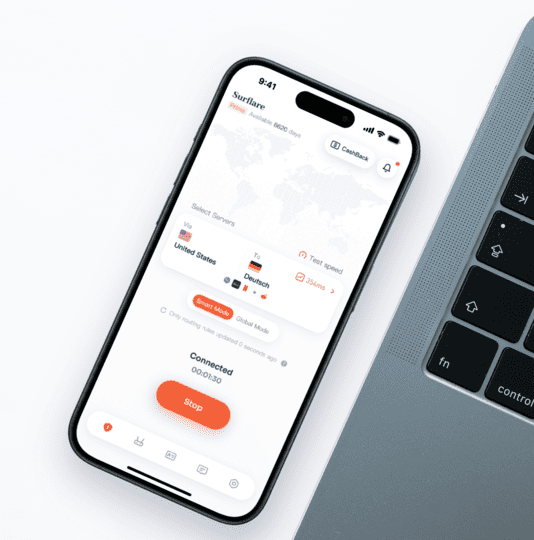
- One-click connect on Windows, Mac, iOS, Android, Linux, and router
- The same fixed IP every time you connect
- Smart routing and multi-hop VPN still apply on top
SOCKS5 / HTTP Proxy
# SOCKS5 proxy
curl --proxy socks5://user:pass@us.dc.surflare.com:1080 \
https://api.ipify.org
# HTTP proxy
curl --proxy http://user:pass@us.dc.surflare.com:8080 \
https://api.ipify.org
# Python example
proxies = {"http": "socks5://user:pass@us.dc.surflare.com:1080"}
- Works with curl, Python, Node, and your browser
- Username/password authentication
- No app required. Works on servers and headless jobs

Why pay for a datacenter IP?
Free and shared proxies are slow and get blacklisted fast. One bad user burns the address for everyone else behind it.
Every Surflare Datacenter IP is exclusively yours: no shared abuse history, and the speed and address stay consistent whenever you need them.
Get a Datacenter IPDatacenter IPs, built for your projects
Run your marketing, data collection, and engineering projects on a fast, affordable datacenter IP.

API integrations & backend sync
Give ERP, inventory, or order-sync systems one allowlisted IP instead of managing a rotating range.

Fixed-IP allowlisting
Let a CI runner, admin panel, or internal tool trust one address instead of opening firewall rules to everyone.

Web scraping at scale
High-throughput public data collection, from price monitoring to LLM training datasets, where speed and cost matter more than looking human.

SEO & ad verification
Check SERP rankings and ad placements from a specific country. No login involved, so speed wins over trust.

Secure browsing & verification
Browse target sites, competitor pages, or unknown links through an IP that is not tied to your real infrastructure.
Datacenter IP Locations
63+ countries to choose from. Pick a region when you order, allocation typically takes 5-30 minutes.
 Albania
 Austria
 Belgium
 Bulgaria
 Croatia
 Czech Republic
 Denmark
 Estonia
 Finland
 France
 Germany
 Greece
 Hungary
 Ireland
 Italy
Italy Latvia
 Lithuania
 Luxembourg
 Netherlands
 Norway
 Poland
 Portugal
 Romania
 Serbia
 Slovakia
 Slovenia
 Spain
Spain Sweden
 Switzerland
 Turkey
 Ukraine
 United Kingdom
Need something more human?
A datacenter IP is registered to a hosting provider, and sites can tell. If a task needs to look like a real residential visitor, pick Residential instead.
The Three Dedicated IP Types at a Glance
Two dimensions explain almost everything: how the IP is registered (what platforms see) and where it physically comes from (what determines speed and authenticity).
| Datacenter IP | Static ISP IP (also known as static residential IP) | Residential IP | |
|---|---|---|---|
| IP registration (whois / ASN) | Hosting / datacenter | Business or residential broadband ISP | Residential broadband ISP |
| Physical source | Datacenter servers | Registered as residential, mostly hosted in datacenters | 100% real home broadband users |
| Platform trust | Lowest. Hosting ranges are easily flagged | High and stable. Residential registration, exclusively yours, no shared abuse risk | High. Real home IPs, per-IP reputation depends on pool quality |
| CAPTCHA rate | High. Social and e-commerce sites challenge often | Low | Lowest. You look like a regular home user |
| Speed | Fastest, datacenter bandwidth | Fast, datacenter-grade stability | Slower, limited by home broadband |
| Does the IP change? | Fixed | Fixed | Configurable: per request, timed, or sticky session |
| Billing | Monthly, per IP | Monthly, per IP | By traffic (per GB) |
| Cost | Lowest | Medium | Highest |
| Best for | API integrations, automation, fixed-IP allowlisting | Account nurturing, stores, payments, AI tools | Account creation, scraping, ad verification |
| Surflare product | Datacenter IP | Static ISP IP | Coming soon |
The pattern is simple. More authentic means more expensive and slower. Datacenter is the fast and cheap end, residential is the most authentic end, and ISP is the balance point between them.
Frequently Asked Questions
Get a fixed IP that works everywhere you do
One click in the app, or a single line in your scripts. Same IP, either way.