
Sydney IP, Proxy & VPN
Home to the ASX and the Sydney Opera House, Sydney decides who gets into Australia's biggest bank and streaming logins. Surflare's Sydney VPN, Datacenter, ISP and Residential IPs put a real Sydney address behind every connection.
 Sydney VPN
Shared IP - Encrypt your connection and browse privately at full speed across 80+ countries
 Sydney Datacenter IP
Static · Dedicated - Fast, stable, and affordable. Hosted in datacenters and registered to hosting providers.
 Sydney ISP IP
Static · Dedicated - Residential trust with datacenter stability. One fixed IP, exclusively yours.
Not sure which IP type fits your use case? Compare Datacenter, ISP and Residential IPs
About Sydney
Sydney is the capital of New South Wales and Australia's largest and most populous city, with a metropolitan population of around 5.3 million built around Sydney Harbour.
While Canberra is the national capital, Sydney is Australia's financial capital, home to the Australian Securities Exchange (ASX) and the head offices of the country's largest banks and media companies.
Sydney Internet Providers
Telstra, Optus and TPG Telecom all carry heavy traffic across Sydney, and your IP is drawn from real ranges on their metro networks.
- Telstra — Telstra's NBN fibre and 5G Home Internet network covers the Sydney metro area, from the CBD to the outer suburbs.
- Optus — Optus is headquartered in Sydney's Macquarie Park and runs strong 5G and cable coverage across the metro area.
- TPG Telecom — TPG Telecom, headquartered in North Sydney, has dense NBN fixed-line coverage across the inner and western suburbs.
- Aussie Broadband — A popular NBN alternative for Sydney apartment blocks and newer estates in growth corridors like the Hills District.
- Belong / Dodo — Budget NBN plans widely resold across the Sydney metro area, riding on the Telstra and TPG networks.

Why a Surflare Sydney IP
Most providers only offer one type of Sydney IP. Here's what sets Surflare apart.
- Every IP type behind one Sydney account — Move between Sydney VPN, Datacenter, ISP and Residential IPs from a single Surflare account, covering everything from an Opal top-up to an ASX broker login.
- App for Opal and Service NSW, proxy for the rest — Connect with one tap in the Surflare app to manage Service NSW and Opal, or plug the same Sydney IP's SOCKS5/HTTP credentials into a scraper or anti-detect browser.
- A dedicated IP, not shared with strangers — Your Sydney dedicated ISP or Residential IP is exclusively yours. CommBank and other Sydney-based banks are quicker to trust an address that isn't also being used by other people.
- Pin down Sydney, not just Australia — Our IP pool is deep enough to target Sydney specifically, from the CBD to the Hills District, instead of settling for a generic Australian address.

Sydney services you can reach

What you can do with a Sydney IP
NSW state services
Manage Service NSW logins, Opal transport top-ups and other New South Wales state government accounts from a Sydney IP.

ASX and Sydney finance
Access ASX-listed investor portals and Sydney-headquartered bank and fintech accounts that expect a local address.
Sydney media and production
Reach Sydney-based media, casting and production platforms as a real local visitor.
Sydney IP, ready on every device
Whichever Sydney IP you get, Datacenter, ISP or Residential, just click to connect in the Surflare app. No manual proxy setup, no complex configuration.
Surflare apps are available for iOS, Android, Mac, Windows and Linux, plus browser extensions and router support.
With the Surflare app, your traffic stays encrypted on every device.

Use Sydney Residential IP via VPN or Proxy
Connect to a Sydney VPN, Datacenter IP or Residential IP with one click in the app, or use Sydney proxy credentials directly in your own tools and scripts.
Surflare App
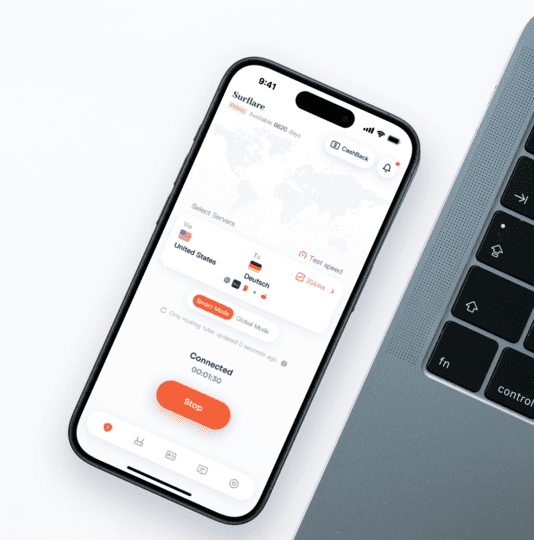
- One-tap connection to a Sydney VPN, Datacenter IP or Residential IP, no extra setup
- A consistent IP for streaming, banking and everyday browsing
- Switch locations any time, at no extra cost
SOCKS5 / HTTP Proxy
# SOCKS5 proxy
curl --proxy socks5://user:pass@proxy.surflare.com:1080 \
https://api.ipify.org
# HTTP proxy
curl --proxy http://user:pass@proxy.surflare.com:8080 \
https://api.ipify.org
# Python example
proxies = {"http": "socks5://user:pass@proxy.surflare.com:1080"}
- Sydney Datacenter and Residential IP Proxy
- SOCKS5 and HTTP(S) support
- Built for scrapers, automation and account management
More Australia cities
Frequently asked questions
Can I access Stan, BINGE or Kayo with a Sydney IP?
Yes. A Sydney IP lets you reach Stan, BINGE, Kayo and other services that are limited to Australian viewers, and a residential IP is the most reliable way to stream them.
Can I get a Surflare Sydney IP on the Optus network?
Yes. Optus is headquartered in Sydney's Macquarie Park, and Surflare's Sydney ISP and Residential IPs are drawn from real ranges across Optus, Telstra and TPG Telecom.
Is using a VPN or proxy legal in Sydney?
Yes. Using a VPN or proxy in Sydney, like anywhere else in Australia, is legal for legitimate purposes such as privacy, streaming and account management. You remain responsible for the terms of the services you access.
Can I target Sydney specifically, not just Australia?
Yes. Surflare's Sydney IPs let you target the city directly, so your traffic reads as coming from Sydney rather than a generic Australian address elsewhere in the country.
Get your Sydney IP in minutes
Dedicated residential and datacenter IPs, usable as a proxy or in the Surflare app.