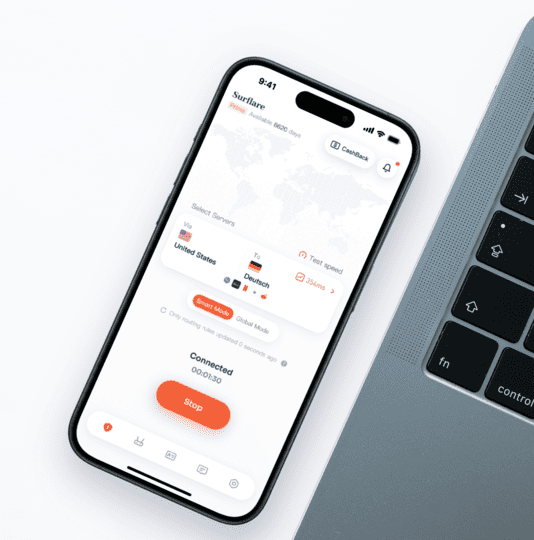
1. Most VPNs Only Give You a Datacenter IP

The vast majority of well-known VPN providers — NordVPN, ExpressVPN, Surfshark, PureVPN — offer dedicated IPs that are, at their core, datacenter IPs. These are IP addresses hosted on the provider’s own servers or rented infrastructure.

Datacenter IPs are clearly labeled as such in major IP databases. Netflix, Amazon, TikTok, and e-commerce platforms have long-established systems to detect and flag them.

VPN ProviderDedicated IP TypeResidential IP?Notes
ExpressVPNDatacenter IPNoAvailable in 22 countries; add-on from ~$3.99/mo; zero-knowledge allocation system
NordVPNDatacenter dedicated IPNo15 cities available; add-on ~$3.89/mo
SurfsharkDatacenter dedicated IPNo10 countries available; add-on ~$1.99/mo
PureVPNDatacenter dedicated IPNo10 countries available; add-on ~$3/mo
Private Internet AccessDatacenter dedicated IPNo5 regions available; add-on ~$5/mo
Surflare VPNDatacenter IP + Static Residential IPYes (optional)High-quality static residential IPs available; choose based on your needs

Important
A “dedicated” datacenter IP still registers as a datacenter source in IP databases. Being the sole user of an IP doesn’t change where it comes from. On platforms that scrutinize IP origin — such as e-commerce marketplaces and social media — datacenter IPs can still trigger risk controls regardless of exclusivity.


2. What Is a Residential IP VPN?

2.1 Core Concept

A residential IP VPN routes your traffic through IP addresses assigned by real Internet Service Providers (ISPs) — such as AT&T or Comcast — to actual home broadband users. From the perspective of any website or platform, your connection looks indistinguishable from a regular household user.

Residential IPs are sourced in two main ways:

2.2 Residential IP vs. Datacenter IP: Key Differences

ComparisonDatacenter IPResidential IP
IP sourceVPN provider’s own or leased datacenter serversReal ISP / home broadband
Detection riskHigh — large volumes already blacklisted by platformsLow — traffic resembles regular user activity
CAPTCHA frequencyFrequentRare or none
SpeedFast, up to 1 Gbps+Moderate, typically 15–200 Mbps
Actual costVPN subscription: $3–15/moVPN subscription + residential IP add-on; as low as ~$10/mo with Surflare
Typical use casesGeneral privacy, secure browsingMulti-account management, e-commerce, live streaming, AI tools

2.3 Important Caveat: Residential IP Is Not a Silver Bullet

Residential IPs reduce the risk of being flagged as a VPN — but that’s just one factor in a platform’s detection system. Behavioral patterns, request frequency, browser fingerprinting, and account history all play a role. Even with a residential IP, unusual activity will trigger risk controls.

It’s also worth noting: a low-quality shared residential IP that’s been abused by previous users can actually have a worse reputation than a clean, dedicated datacenter IP. Whether an IP is dedicated matters more than what type it is.

2.4 Who Actually Needs a Residential IP VPN


3. Which VPNs Actually Offer Residential IPs

3.1 Dedicated vs. Shared: This Matters More Than IP Type

Most VPNs use shared IPs — your outgoing address is shared by thousands of users simultaneously. The moment one user abuses that IP, the entire range gets blacklisted, affecting everyone on it.

A dedicated IP is assigned exclusively to you. You have full control over that IP’s reputation. Whether it’s a datacenter or residential IP, a dedicated version is always significantly more stable and trustworthy than a shared one.

3.2 Providers Offering True Residential Dedicated IPs Are Rare

Acquiring residential IP blocks directly from ISPs is far more expensive than building or renting datacenter infrastructure. That’s the fundamental reason most VPN providers stick to datacenter IPs. The number of VPN providers that genuinely offer residential dedicated IPs is very small — and Surflare VPN is one of them.

3.3 You Must Subscribe to a VPN Plan Before Buying a Dedicated IP

A dedicated IP is not a standalone product — it’s an add-on to a VPN subscription. You must purchase a VPN base plan first, then add the dedicated IP on top. Your actual monthly cost equals the VPN subscription fee plus the dedicated IP fee.

Surflare VPN integrates both into a single platform — subscribe to the VPN plan, then add your dedicated IP (datacenter or residential) directly from the dashboard. No separate accounts or providers needed.

3.4 How to Verify Your IP Type

After connecting, use these tools to check your outgoing IP:

If the result shows a datacenter hosting company as the ISP, you have a datacenter IP — regardless of what the provider calls it.


4. Top Residential IP VPN Providers in 2026: In-Depth Comparison

4.1 Surflare VPN

Surflare VPN is one of the few providers that offers both dedicated datacenter IPs and static residential IPs — specifically designed for cross-border e-commerce, live streaming, and multi-account social media operations. The residential IPs are sourced directly from real ISPs and delivered as static, dedicated addresses with high quality and stability.

VPN plans start from $3.5/mo. Dedicated IPs are available as optional add-ons:

IP TypePriceCoverageBest For
Static Residential IPFrom $6.9/mo65 locations across Europe, Americas, and Asia-PacificE-commerce accounts, live streaming, social media operations — lower platform detection risk
Dedicated Datacenter IPFrom $3.5/mo65 locations across Europe, Americas, and Asia-PacificRemote work whitelisting, enterprise system access, general stable IP needs

Key features:

Best for: Cross-border e-commerce sellers, live streamers, social media marketers, users accessing region-restricted AI tools, and remote workers needing a fixed IP for whitelisting.


4.2 StarVPN

One of the larger specialized residential IP VPN providers, StarVPN offers a pool of over 10 million IPs across 60+ countries, with static residential, rotating residential, and mobile IP options.

Pricing: Business Residential (static IP) from $20/mo — includes 1 dedicated IP with 20 IP refresh credits per month.

Pros: High IP quality; low fraud score; dedicated IPs are exclusive to one user; supports filtering by country, region, and ISP.

Cons: Expensive; rotating IPs capped at ~15 Mbps; no refunds on residential IP plans; customer support is not real-time.

Best for: Enterprise-level users who need large IP volumes and granular filtering options.


4.3 TorGuard

A long-established VPN provider with reasonable community recognition, particularly in privacy-focused communities. Residential IPs are offered as VPN add-ons, sourced from major ISPs.

Pricing: Single residential IP add-on from $7.99/mo (requires a VPN base plan at ~$10/mo); Residential IP pool (20+ IPs) at $39/mo.

Pros: Flexible pricing; suitable for users upgrading an existing VPN plan; supports WireGuard and OpenVPN across 50+ countries.

Cons: Recent user reports of speed and stability issues; US-based (Five Eyes jurisdiction); limited streaming unblocking performance.


4.4 Mysterium VPN

A decentralized residential VPN network built on blockchain technology. IPs come from real users sharing their home connections — naturally residential, with broad geographic coverage.

Pricing: Pay-per-use, approximately $0.01–0.05/GB depending on the node.

Pros: Truly decentralized; wide country coverage; low cost for light usage.

Cons: Inconsistent speeds depending on node quality; your IP may also be used by others on the network; not suitable for scenarios requiring a fixed, stable IP.


4.5 Summary Comparison

ProviderIP TypePricingStabilityBest Use Cases
Surflare VPNStatic residential + datacenter dedicatedVPN from $3.5/mo + residential IP from $6.9/moHighE-commerce, streaming, multi-account, AI tools, remote work
StarVPNStatic / rotating residentialFrom $20/moHighEnterprise IP management, large-scale filtering
TorGuardStatic residential (add-on)From ~$18/mo (plan + IP)MediumAdvanced users, budget-sensitive
MysteriumP2P rotating residentialPay-per-useMedium-LowLight use, privacy-first users

5. How to Choose the Right Plan

5.1 Recommendations by Use Case

5.2 Three Questions to Ask Before You Buy

  1. Dedicated or shared? A dedicated IP gives you full control over its reputation. A shared IP is affected by every other user on the same address — unpredictable and potentially already blacklisted.
  2. Static or rotating? Static IPs suit scenarios requiring a consistent identity (account logins, whitelisting). Rotating IPs suit data collection but are inappropriate for maintaining a stable account presence.
  3. ISP-sourced or P2P? ISP-sourced residential IPs offer predictable speed and quality. P2P IPs have broader coverage but variable performance depending on the sharing node.

6. Frequently Asked Questions

6.1 What’s the difference between a residential IP VPN, a residential proxy, and a residential IP server?

Residential IP VPNResidential ProxyResidential IP Server
Traffic protectionFull device-level encrypted tunnelOnly routes specified app or browser traffic; no encryption tunnelServer-level; no client-side encryption
Setup difficultyLow — one-click connectHigh — requires manual proxy address and port configuration in the browser or system settingsHigh — requires server configuration
Best forIndividual and business usersDevelopers and technical usersEnterprise and technical teams
Typical useAccount management, streaming, daily useLarge-scale scraping, automationEnterprise fixed-IP deployment

6.2 Can a residential IP guarantee I won’t be detected by platforms?

No. A residential IP significantly reduces the chance of being flagged as a VPN, but platforms also analyze behavioral signals, request frequency, browser fingerprints, and account history. Abnormal behavior will still trigger risk controls even with a residential IP. It’s one layer of protection — not a complete solution on its own.

6.3 Will a residential IP VPN noticeably slow down my connection?

Static residential IPs typically deliver 50–200 Mbps — more than enough for video calls, live streaming, and daily work. Surflare VPN’s Multi-Hop feature actively optimizes routing paths to compensate for the natural latency of residential IPs, delivering strong real-world speeds. Smart Routing also keeps local traffic on a direct connection, so your everyday internet speed is unaffected.

6.4 Do I need to buy a VPN subscription separately from the residential IP?

Yes. A dedicated IP is an add-on, not a standalone product. You need an active VPN subscription first, then purchase the dedicated IP separately on top of that. Your actual total cost = VPN subscription fee + dedicated IP fee. Surflare VPN for example starts at $3.5/month for the VPN plan, plus $6.9/month or more for a residential IP — both are billed separately.

6.5 What’s the difference between a shared residential IP and a dedicated residential IP?

A shared residential IP is used by multiple users at the same time. If one user misuses it, the IP gets flagged and everyone on it is affected. A dedicated residential IP belongs to you alone — its reputation is entirely determined by your own behavior, giving you far greater stability and control.

6.6 Is a residential IP suitable for cross-border e-commerce?

Absolutely. Platforms like Amazon, TikTok Shop, and Shopee use IP-based signals to detect account associations. A dedicated residential IP gives each account its own address that looks like a genuine home user — effectively reducing association risk. Surflare VPN’s Multi-IP Browsing lets you operate multiple accounts simultaneously on one device, each in an isolated session with its own IP.

6.7 Is a residential IP useful for accessing AI tools like ChatGPT or Claude?

Yes. AI tools with regional restrictions are less likely to flag traffic that originates from a residential IP, since it resembles ordinary home user traffic. For most users, Surflare VPN’s standard plan is sufficient. Users who need maximum reliability can add a dedicated residential IP for a more consistent experience.

6.8 Why are residential IP VPNs more expensive than regular VPNs?

The cost difference comes from the add-on structure, not the product category itself. You’re paying for both a VPN subscription and a dedicated IP on top. The dedicated IP — especially a residential one sourced directly from ISPs — carries additional infrastructure costs. If you only need the VPN, Surflare starts at $3.5/mo, which is in line with mainstream VPN pricing.

6.9 How do I check whether my current IP is residential or datacenter?

After connecting to your VPN, visit ipapi.is or IP2Location and check the IP Type and ISP fields. “Residential” with a real ISP name (e.g., Comcast, AT&T) means you have a residential IP. “Datacenter” or “Hosting” means you have a datacenter IP — regardless of what the provider advertises.


About Surflare VPN

Surflare VPN is one of the few VPN providers that offers both dedicated datacenter IPs and high-quality static residential IPs — purpose-built for cross-border e-commerce professionals, live streamers, and social media marketers who need reliable, stable IP identities.

Core features:

Get Surflare VPN →

Disclaimer: This article is for informational purposes only. Pricing and features may change — please refer to each provider’s official website for the latest details.