John Wyatt
OpenClaw crossed 260,000 GitHub stars in early 2026, making it one of the fastest-growing open-source projects ever. Developers call it “Claude with hands” — it doesn’t just answer questions, it actually gets things done.
For growth teams and solo operators managing multiple social accounts, the appeal is obvious: a single AI agent running 24/7, handling X, Reddit, and Telegram through natural language commands, no dashboard-switching required.
The reality, though, is that getting OpenClaw to run reliably on social platforms takes more than just installing it. This guide covers the infrastructure side — the stuff that determines whether your setup lasts two days or two years.
What OpenClaw Can Actually Do
Once connected to your social accounts, OpenClaw handles tasks that would normally require constant manual attention:
X (Twitter): Scheduled posting, keyword monitoring, automated replies, trending topic tracking, and account analytics.
Reddit: Subreddit monitoring, hot post summaries, community engagement, and cross-posting. Reddit connects via Composio MCP, letting you issue commands directly from Telegram or WhatsApp without ever opening Reddit.
Telegram: OpenClaw’s most fully-featured native integration. Set up a bot through BotFather, connect it to OpenClaw, and you get automated broadcasts, smart replies, scheduled messages, and multi-group management — all without touching a dashboard.
All three platforms run through the same OpenClaw instance simultaneously. A practical example: message OpenClaw on Telegram saying “Find the top 3 posts on r/entrepreneur today, summarize them, then rewrite the best one for X and post it” — it pulls the Reddit data, summarizes, rewrites, and posts, without any further input from you.
How to Install OpenClaw
OpenClaw runs on Linux, macOS, Windows (via WSL2), and Docker. There’s also a fully localized community build with simplified setup scripts for different environments. For installation steps and initial configuration, refer to:
- Official documentation → openclaw.ai
- Community guides (GitHub) → awesome-openclaw-tutorial
Hurdle #1: Getting the Network Right
This is where most setups break before they even get started.
The X and Reddit APIs are inaccessible from certain regions without a VPN. Telegram has partial reachability in some areas, but connections are unstable. If you’re running OpenClaw on a server without proper VPN coverage, API calls to all three platforms will time out — consistently.
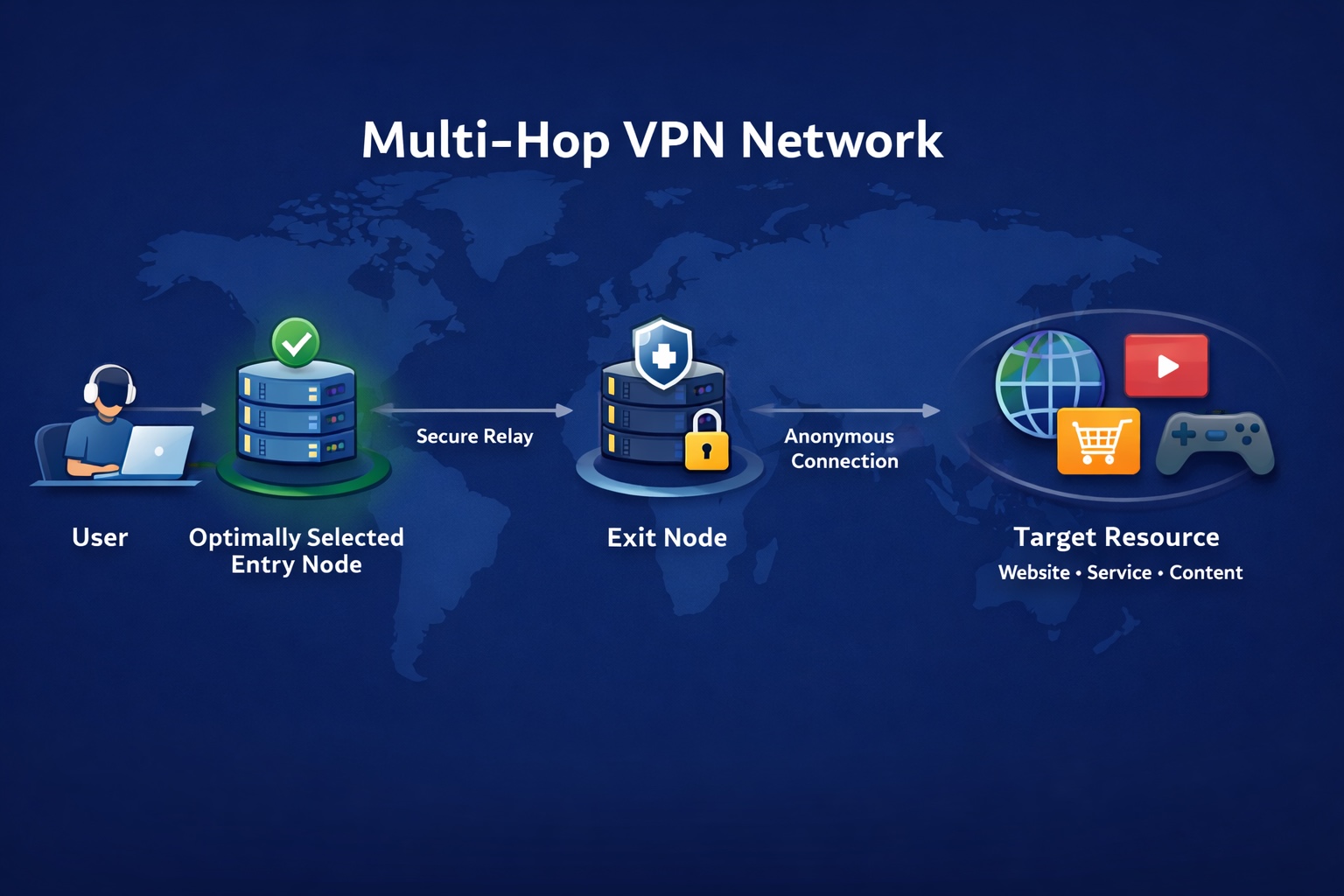
The cleanest solution is installing a VPN client directly on the machine running OpenClaw. Surflare supports Windows, macOS, Linux, iOS, and Android. Once active, it establishes a system-level tunnel — all outbound traffic from OpenClaw routes through it automatically, with no proxy configuration required inside OpenClaw itself.
Beyond basic connectivity, connection stability matters more than speed for an always-on agent. OpenClaw tasks can run for several minutes continuously. If the connection drops mid-task, the job fails, context is lost, and it starts over. A VPN that holds a stable connection under sustained load is worth more than one that’s fast but intermittent.
Once your VPN is active, verify it’s actually working at the system level — not just in the browser. Run curl -I https://api.twitter.com and curl -I https://www.reddit.com from your terminal. A 200 or 301 response confirms the connection is live. If you still get timeouts, check whether your VPN client is set to route all traffic (global mode), not just browser traffic.
Hurdle #2: IP Quality Determines How Long Your Accounts Survive
Getting through to the API is one thing. What IP address you’re coming from is another problem entirely.
According to CrowdStrike’s research, the surge in OpenClaw deployments has pushed a large number of instances onto cloud servers — which means datacenter IPs. X and Reddit have had datacenter IP ranges flagged for years. On top of that, X’s risk system analyzes JA3/JA4 TLS fingerprints and IP association graphs across accounts. Running automation from a shared datacenter IP is a fast path to rate limiting and permanent bans.
Residential IPs come from real home broadband connections. To platform risk systems, they’re indistinguishable from regular users — which is exactly the point. If you’re not sure what type of IP you’re currently exiting from, check whoer.net or ip.sb — both will tell you whether your IP is flagged as datacenter, VPN, or residential.
Surflare’s residential nodes route traffic through real broadband connections, making automated activity significantly harder for platforms to detect. If you’re managing multiple accounts, apply a one-account-one-IP rule: switch Surflare nodes between accounts to ensure each one exits from a distinct IP, which prevents the cross-account correlation that triggers bulk bans.
Don’t Ignore Behavior: How Not to Get Flagged
Even with the right IP, mechanical behavior patterns are a giveaway. X’s detection systems are tuned to catch exactly the kind of rigid scheduling that automation tools default to.
Add timing variance. Instead of posting at exactly 9:00 AM every day, instruct OpenClaw to post “sometime between 8:30 and 9:30 AM.” You can do this in plain language — just tell OpenClaw what window you want, and it handles the scheduling logic itself. If you’re setting up Cron-based tasks, aim for 2–5 minute random intervals between actions, and 1–2 hour random windows between posts rather than fixed timestamps.
Respect platform rate limits. On X, new accounts should follow no more than 50 accounts per day; established accounts no more than 200. Keep likes under 30 per hour. These aren’t hard-coded blocks — they’re thresholds where automated behavior gets flagged for review.
Keep sessions alive. Logging in fresh every time you run a task is a red flag. X is particularly sensitive to logins from “new devices.” Persist your session cookies and keep the login state active between tasks — this alone makes a meaningful difference in account longevity.
Vary your content. Repeating the exact same copy across posts is one of the fastest ways to get flagged. Use OpenClaw’s connected AI model (Claude or DeepSeek both work well here) to rewrite each post with meaningful variation in phrasing and structure before it goes out.
Security: Don’t Skip This Part
OpenClaw has access to your email, files, code repositories, and browser. A compromised instance isn’t just an annoyance — it’s a serious exposure.
Bitsight’s research found over 30,000 OpenClaw instances exposed to the public internet in a single analysis period (January 27 to February 8), many of them accepting commands from anyone who found them.
In late January 2026, a critical vulnerability was disclosed: CVE-2026-25253 (CVSS 8.8). Attackers could steal auth tokens via URL parameters and gain full control of the instance. The fix shipped on January 29 — if you’re running an older build, update immediately.
A few non-negotiable basics: never expose port 18789 to the public internet; set dmPolicy to pairing or allowlist, not open; run openclaw security audit periodically to catch misconfigurations before they become problems.
The Bottom Line
OpenClaw is genuinely capable of running multi-platform social media automation at a level that used to require dedicated tools and teams. But the infrastructure underneath it — network access, IP quality, session management, security config — determines whether that automation runs for a week or indefinitely.
A VPN isn’t just about bypassing geo-restrictions here. It’s the network layer your entire automation stack depends on. If you need a VPN with full-platform client support and residential IP nodes built for always-on workloads, Surflare is worth a look.