Sivor Veyron
This article is part of our VPN Privacy Series — answering the internet’s most asked questions about online security. See all articles →
The Truth About VPNs — Part 1 Does a VPN Really Make You Anonymous?
The Illusion of the Digital Invisibility Cloak
Remember Harry Potter’s invisibility cloak? Once he put it on, no one could see him. That’s how many people imagine a VPN — a magic cloak that hides you completely from websites, advertisers, or even governments.
The truth? A VPN can certainly help you hide, encrypt, and disguise your online activities, but it doesn’t make you vanish. Think of it more like putting on sunglasses and walking through a crowd — people can’t see your eyes clearly, but they still know someone is there.
Layer One: What a VPN Actually Hides
Every device connected to the internet has an IP address — like a digital return address — that tells websites roughly where you are and which provider you use. This means your internet service provider (ISP), advertisers, and even some apps can learn your location and browsing habits.
When you use a VPN, your internet traffic is rerouted through a secure server before it reaches the destination website:
You → VPN Server → WebsiteNow the website sees only the VPN server’s IP address, not yours. That’s the first layer of anonymity — hiding your real origin.
Layer Two: How Encryption Protects Your Privacy
Hiding your IP isn’t enough. Your data also needs protection while it’s traveling.
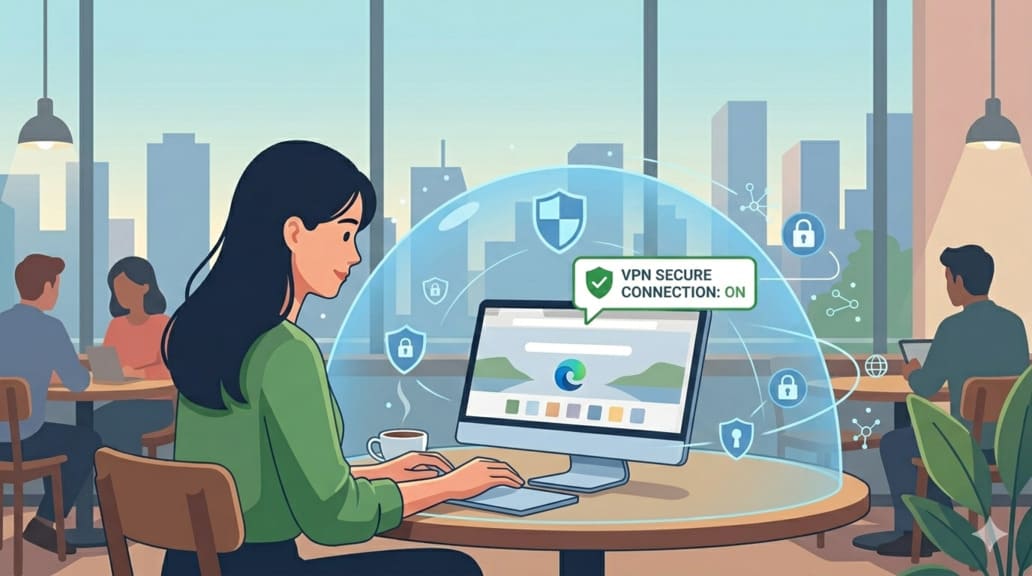
Imagine you’re sitting in an airport using free public Wi-Fi to check your email. That open network may feel harmless — but someone nearby could be intercepting every packet of data you send.
Without a VPN, your online requests are like postcards: anyone handling them can read the content.
To: Gmail.com — Message: mypassword123
With a VPN, your data becomes a sealed envelope. Your messages are encrypted before leaving your device and can only be decrypted by the VPN server. Even if a hacker intercepts the traffic, all they’ll see is gibberish flowing between you and an unknown server.
Layer Three: The Technology Behind the Scenes
Every VPN relies on encryption protocols — the rules that define how the data tunnel works. Think of each protocol as a different type of secure transport vehicle:
| Protocol | Analogy | Key Traits |
|---|---|---|
| OpenVPN | An armored truck | Battle-tested and secure; slightly slower but extremely reliable. |
| WireGuard | A magnetic levitation train | Lightweight, fast, and uses modern cryptography. |
| IKEv2/IPSec | A private highway lane | Great for mobile devices switching between Wi-Fi and cellular networks. |
No matter the protocol, the principle is the same: a VPN creates an encrypted tunnel between your device and the VPN server.
Layer Four: So… Does It Make You Anonymous?
Here’s the big question: if your IP is hidden and your traffic is encrypted, are you now anonymous?
Not quite. True anonymity means no one can link your online actions to your identity.
The internet tracks you through far more than your IP address:
- Cookies — little files websites use to remember you.
- Browser fingerprints — your screen size, fonts, and plugins form a unique pattern.
- Accounts — if you log into Google or Instagram, they still know it’s you.
“A VPN doesn’t make you invisible — it just makes you harder to follow.”
Layer Five: If It’s Not Total Anonymity, Why Use It?
If VPNs can’t make you disappear, why bother using one?
Because privacy isn’t about being invisible — it’s about control.
A VPN gives you back the power to choose:
- who can see your data,
- which route your information takes,
- and which company you trust to handle your connection.
Without a VPN, your ISP can log every site you visit and sell that data to advertisers.
With a VPN, your ISP sees only that you connected to a VPN — nothing more.
It doesn’t make you a ghost, but it lets you decide when and where to show your digital shadow.
Quick Reality Check
| Layer | What a VPN Protects | What It Doesn’t Protect |
|---|---|---|
| IP Address | Hides your real IP | Doesn’t hide logged-in accounts |
| Data in Transit | Encrypts everything | Won’t stop browser extensions from leaking info |
| ISP Monitoring | Masks browsing history | Can’t block malware or keyloggers |
| Geolocation | Lets you appear in another country | GPS tracking still works |
| Identity | Harder to trace | Not truly anonymous |
The Bigger Picture: Privacy Is a Team Effort
Across Reddit, Hacker News, and privacy forums, one phrase sums up the consensus:
“A VPN is one tool — not the whole toolbox.”
To truly protect your privacy online, you need a combination of good tools and smart habits:
- A reliable VPN (to secure your connection)
- A privacy-focused browser (to block trackers and fingerprinting)
- Strong, unique passwords + 2FA (to prevent account hijacks)
- Caution with apps and websites (to avoid voluntary data leaks)
A VPN is the first layer of defense, not the entire shield.
At Surflare, our goal is to make that layer as strong and transparent as possible — using modern encryption, RAM-only servers, and no-log infrastructure.
It won’t make you disappear, but it will make the world look at you and see nothing useful.
Final Thoughts
So, does a VPN make you anonymous?
No — but it does make you private enough to reclaim control over your digital life.
It hides your location, scrambles your data, and blocks your ISP from profiling you. It turns your open digital postcard into a sealed, encrypted letter.
And sometimes, that’s all the invisibility you really need.
Coming Next
Up next in the series: Can My ISP Still See What I’m Doing Online?
Surflare VPN – Secure, Fast, No-Log Infrastructure
- RAM-only servers and modern encryption
- Multi-protocol (WireGuard/OpenVPN/IKEv2) auto-selection
- Privacy-first policy with clear transparency