Aria Monroe

1. Browsers Are Quietly Becoming VPN Providers — Firefox Is Just the Latest
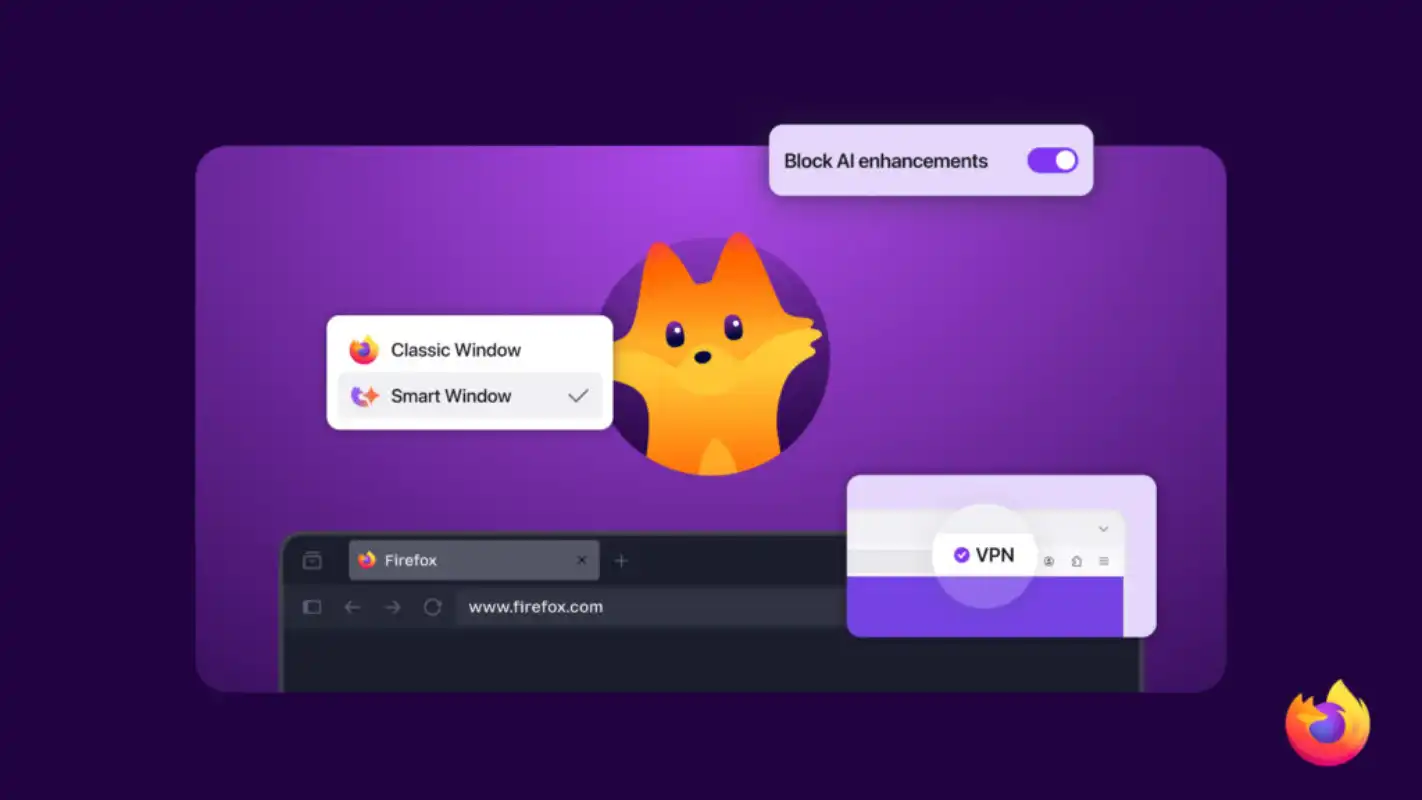
In March 2026, Mozilla officially announced a free built-in VPN inside Firefox, rolling out gradually starting with Firefox 149. Unlike traditional VPNs that require a separate app, this one lives directly inside the browser: one-click activation, no third-party client, 50GB of free traffic per month, with exit IPs handled by Mozilla’s own proxy network.
This isn’t an isolated move. Zoom out and you’ll notice every major browser has been quietly adding “built-in VPN” features over the past few years:
- Opera was the first to ship a free, unlimited browser VPN
- Microsoft Edge rolled out Secure Network, powered by Cloudflare, with 5GB/month
- Brave went further with a paid Firewall+VPN product
- Cloudflare runs WARP — not technically a browser feature, but it follows the same “free + one-click” playbook
Add Firefox to that list, and the trend is clear: basic privacy protection is becoming a default browser utility, the same way HTTPS, ad blocking, and password managers became defaults a few years ago. IP masking and traffic encryption — things people used to pay for — are increasingly being given away for free.
For most users, this is a win. Coffee shop Wi-Fi, airport networks, casual privacy-conscious browsing — built-in browser VPNs handle these scenarios just fine.
But for a different group of users — cross-border e-commerce sellers, livestreamers, social media operators, remote business owners, digital marketing agencies — these free options break down quickly. They look great on paper, but the moment you try to use them for actual business operations, the limitations become obvious.
This article does two things: first, a side-by-side review of the major free VPN options on the market today; then, a clear breakdown of what professional-grade network tools should actually offer when your work depends on them.
2. Free VPN Roundup: Browser-Built and Standalone
The free VPN landscape splits into two categories: browser-built and standalone.
Browser-Built VPNs
Firefox Built-In VPN (2026)
- Bandwidth: 50GB/month
- Server locations: Currently limited to US, UK, Germany, France
- Scope: Firefox browser traffic only — other apps unprotected
- Notes: Powered by Mozilla’s own proxy network. Requires a Mozilla account. Full specs in the official Mozilla support documentation
- Bandwidth: 5GB/month (requires Microsoft account login)
- Backend: Cloudflare’s privacy proxy infrastructure; exit IPs come from Cloudflare data centers
- Scope: Edge browser traffic only
- Notes: Limited region selection, designed primarily for ISP-level tracking prevention
Opera VPN
- Bandwidth: Unlimited
- Technically a proxy, not a true VPN — encryption layers and protocols are weaker than standard VPN clients
- Server locations: Only broad regions (Americas, Europe, Asia) — no granular control
- Notes: Free, no signup required, instant activation. Privacy reputation is mixed
Brave Browser
- The built-in Firewall+VPN is a paid product, not a free option
Standalone Free Tools
- Strictly speaking, not a VPN — closer to “optimized routing proxy + DNS over HTTPS”
- Doesn’t hide geolocation by default (exit remains in user’s home country)
- Great for speed and ISP-level privacy, not for region switching
- Server locations: 5 countries (US, NL, JP, RO, PL)
- Unlimited bandwidth but throttled — free tier has lower priority
- Strong privacy reputation, Switzerland-based, independently audited
TunnelBear / Windscribe / hide.me
- All offer free tiers with caps between 2GB–10GB/month
- Significant restrictions on speed and server choice
- Functionally trial offers — designed to convert users to paid plans
The common thread: every one of these tools is built for occasional use by individuals with light privacy needs. None of them are designed for high-frequency, mission-critical, business-grade use.
The next section explains why that distinction matters.
3. Why Free VPNs Fail for Cross-Border Operators
If you just want to check email at a café or occasionally browse a region-locked site, free VPNs are fine. But if your business depends on the network — selling on Amazon and Shopify, livestreaming on TikTok or YouTube, managing multiple social accounts, running cross-border ad campaigns — free VPNs will fail you in five concrete ways.
1. Shared IPs Are Risk-Control Magnets
The free VPN business model requires massive IP sharing — hundreds or thousands of users routed through the same exit IP. Inevitably, some of those users are scraping, spamming, or running fraud operations. Major e-commerce, payment, and social platforms have long since flagged most public VPN IP ranges as high-risk.
The result: log into your business account through a free VPN and you’re flagged before you’ve done anything — captchas, 2FA prompts, account holds, sometimes outright suspension.
2. Datacenter IPs ≠ Residential IPs
Almost every free VPN routes traffic through datacenter IPs — IPs allocated to server farms. To risk-control systems, these look nothing like real household connections.
Modern e-commerce, livestream, and social platforms increasingly use IP type as a signal of user authenticity. Residential IPs (allocated by ISPs to real homes) “look like real people.” Datacenter IPs look like bots or proxies.
For listing products, going live, or running ads, this distinction often determines whether your account gets trusted or throttled.
3. Bandwidth Caps Don’t Survive Real Workflows
50GB/month sounds generous — until you put it against actual work:
- A two-hour 4K livestream session can burn 5–10GB
- Uploading product assets, downloading competitor research, batch-processing media — 10GB disappears in a few sessions
- Multi-account management (browser sync, video calls, cloud storage) consumes far more than personal browsing
Business users hit the cap fast, and the moment they do, they’re paying anyway. The “free” tier turns out to be a teaser, not a viable solution.
4. Sparse and Unstable Server Coverage
Free VPN networks are sized for “casual individual users.” During peak hours (US/EU business time), nodes get crowded, latency spikes, disconnections multiply. Annoying for individuals — directly costly for live commerce, where buffering kills sales.
5. No Per-Account IP Isolation
Cross-border e-commerce and social media operations require multiple accounts running in parallel. Platform risk-control systems have one ironclad rule: same IP logging into multiple accounts = linked accounts = high risk.
Free VPNs put all users in shared IP pools, can’t bind dedicated IPs to specific accounts, don’t support per-window IP routing — meaning every account you manage looks like the same person to the platform. Mass bans are a matter of when, not if.
Bottom line: Free VPNs were designed for “light personal privacy.” Using them for business operations isn’t a tooling problem — it’s a category mismatch.
4. What Professional-Grade VPNs Should Actually Offer
Shifting from “what to avoid” to “what to look for” — here are the hard requirements for any operator using the network as a production tool.
IP Type: Residential vs. Datacenter
- Datacenter IP: Fast, cheap, stable — but easy to identify as a proxy
- Residential IP: Issued by real ISPs, looks like a household connection — appropriate for e-commerce, livestreams, social platforms
- Cross-border operators should prioritize providers that offer residential IP options, even at a higher price point
Dedicated / Static IPs
Standard VPNs use rotating IP pools. Business accounts need dedicated IPs — IPs allocated to you alone, persistent over time.
Counterintuitively, platform risk systems prefer stable environments. An account consistently logging in from the same IP builds trust. Most professional VPNs offer dedicated IP as an add-on.
Multi-IP Browsing (Per-Window IP Routing)
Open multiple browser windows on a single device, each routed through a different VPN exit. This capability is essential for multi-account management:
- Each store/account gets its own IP, dramatically reducing linkage risk
- No constant server switching
- No need for separate physical devices per account
Smart Routing (Split Tunneling)
Granular control over which apps go through the VPN and which use the local connection:
- Business platforms (foreign e-commerce backends, foreign social) → VPN
- Local services (banking, payment, regional apps) → direct
- Local video conferencing, intranet tools → direct, for speed
- Apps that should never touch the VPN → blocked
Mature smart routing recognizes hundreds of major applications and categorizes them automatically.
Multi-Hop Routing
Counterintuitive but true: multi-hop routing is often faster than direct connection for cross-continental traffic. Direct paths between distant countries often go through congested public routes; optimized multi-hop paths use private backbones between relays, reducing latency.
Example: Connecting from Canada to a Japanese service via “Canada → US → Hong Kong → Japan” can be significantly faster than a direct connection. Multi-hop also adds layered encryption, improving privacy.
Concurrent Devices
Real cross-border setups: work laptop + backup machine + phone + tablet + router — all need coverage. 5–8 simultaneous devices is the realistic minimum.
No-Logs + RAM-Only Processing
The compliance baseline. A serious VPN provider should:
- Log no visited sites, traffic content, or DNS queries
- Process connection data in RAM only — nothing written to disk
- Wipe automatically on server restart, leaving no recoverable trail
Cross-Platform + Router Support
Windows, macOS, iOS, Android, Linux, browser extensions — all required. Bonus: router-level VPN support, so all home or office devices (including IoT devices that don’t natively support VPN clients) get protected through the network itself.
5. A Tool That Checks Every Box: Surflare
Once you list out the requirements above, very few products on the market actually meet all of them. Here’s one that does: Surflare.
Not the only option — but worth using as a reference for what a professional-grade VPN looks like.
Servers and IP types: 60+ countries, with both datacenter and residential IP options. Operators in e-commerce, livestreaming, or social media can pick residential IP nodes directly.
Dedicated IP: Available as an add-on. You can purchase a fixed IP that stays bound to your account long-term — exactly what multi-store sellers and social account operators need to avoid linkage flags.
Multi-IP browsing: A single device can run multiple browser windows, each connected to a different VPN node and exiting from a different IP. Multi-account workflows no longer require separate physical machines.
Smart routing: Recognizes 400+ major applications, with four routing actions per app — Proxy, Direct, Reject, Ignore (override global rules). Custom rules by domain and IP are supported, giving finer-grained control than typical split tunneling.
Multi-hop VPN: Automatically picks the fastest relay path with double-layer encryption. The system evaluates target distance — nearby destinations skip multi-hop to avoid adding unnecessary latency.
Devices: 8 simultaneous devices per account, covering Windows, macOS, iOS, Android, Linux, plus Chrome and Edge browser extensions.
Privacy baseline: Strict no-logs policy. All connection data processed in RAM only, never written to disk, automatically wiped on server restart.
Router solution: Surflare also offers a router integration that supports 4 simultaneous SSIDs, each routed through a different VPN node — meaning different devices on the same router can connect to different country IPs, without installing a client on each device individually. Particularly useful for small teams, studios, and home-office setups, and it covers smart TVs, IoT devices, and other hardware that can’t run VPN clients natively.
Pricing: From $3.5/month (longer subscriptions discount further), with a 7-day money-back guarantee and free trial.
The product shape makes it clear who Surflare is built for: high-frequency, stable, business-grade use. It’s a different category of tool from the “casual personal privacy” free VPNs covered earlier.
6. Conclusion: Don’t Confuse Production Tools With Consumer Apps
Back to the opening question — what does it mean that every major browser is now giving away VPN access?
It means basic privacy protection is becoming utility-grade infrastructure, like running water. Good for everyone.
But it also means that the demand for professional-grade network tools hasn’t disappeared — if anything, it’s exploded, driven by cross-border commerce, global remote work, international content creation, and the rising sophistication of platform risk-control systems.
A simple decision matrix:
| Use Case | Recommended Solution |
|---|---|
| Public Wi-Fi protection, light privacy needs | Browser built-in VPN (Firefox / Edge) is enough |
| Personal access to foreign content, streaming | Mid-tier paid VPN |
| Cross-border e-commerce / livestreaming / social ops | Professional VPN (residential IP + dedicated IP + multi-IP browsing) |
| Team collaboration / studios / whole-office routing | VPN router setup |
The judgment is straightforward: are you using the network to consume content, or to run a business?
If it’s the first, free options work. If it’s the second, this is one of the worst places to cut costs — a single compromised account or banned listing easily exceeds a decade of professional VPN fees.
If that sounds like your situation, the tool below is worth a few minutes of your time to actually try.
From Browser-Built VPNs to Production-Grade Networking
Built-in browser VPNs cover basic privacy. But cross-border business needs stable routes, dedicated IPs, multi-account isolation, and granular smart routing.
Surflare is built around exactly these requirements — 60+ countries, residential IPs, multi-IP browsing, smart routing across 400+ apps, and router integration. Backed by a 7-day money-back guarantee.
Try Surflare Free — Built for Serious Cross-Border WorkReferences
- Mozilla Blog: Firefox Built-In VPN Announcement
- Mozilla Support: Firefox VPN Documentation
- Cloudflare: Edge Secure Network Partnership
- Cloudflare WARP Documentation
- Cloudflare 1.1.1.1 + WARP Official Site
- Proton VPN Free Tier
Product features and pricing referenced in this article reflect publicly available information from each provider as of April 2026. Refer to official sources for the most current specifications.