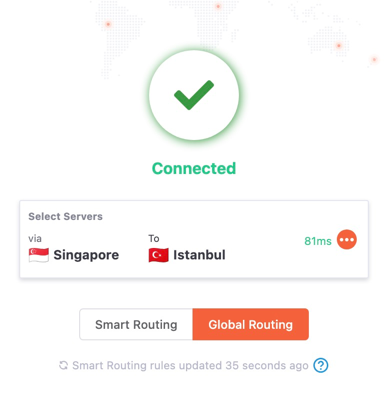
Configure Multi-Hop VPN (Legacy)
This feature requires a Prime Plan subscription.
A Standard VPN (one hop) routes your traffic through a single server. A Multi-Hop VPN routes it through multiple servers for enhanced security and privacy.
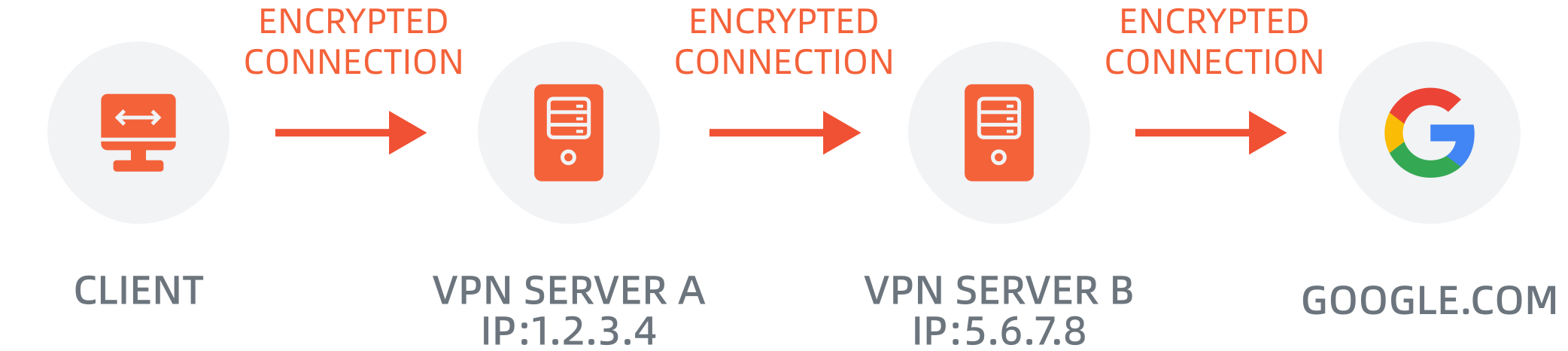
This guide applies to app versions before 4.0.1 only.
How to Configure Multi-Hop VPN
1
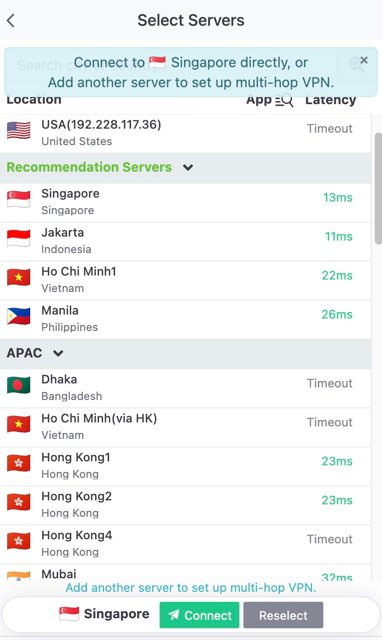
Select First Server
On the home screen, tap "Select Servers" to open the server selection panel.
2
Add Second Server
Select your destination server. The app will show latency comparison between multi-hop and direct connection.
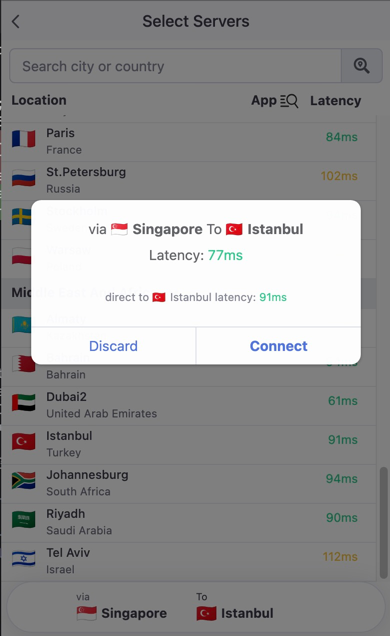
The app displays both multi-hop and direct latency. Choose the route with lower latency for better performance.
3
Connect
Tap Connect to establish the multi-hop connection. Your traffic will be routed through multiple servers sequentially.