Proxy vs VPN: What's the Difference and Which Do You Need?
A proxy and a VPN are not two competing products. They are two ways to connect to the same dedicated IP: one built for a person, one built for a program. Most businesses end up using both.
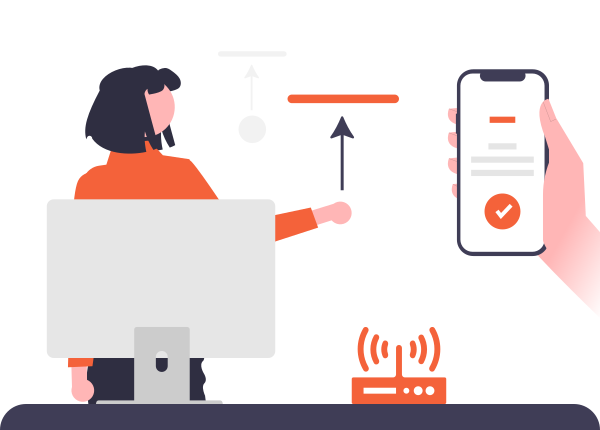

Two Different Things: IP Identity and Connection Method
It helps to separate two questions that get mixed together. Which IP identity do you connect through? Surflare offers three: Datacenter, ISP, and Residential. And how do you connect to it? Through a VPN client, or through a proxy protocol.
These are independent choices. Every Surflare dedicated IP works through both the VPN app and the proxy protocol, it is the same IP resource either way. A proxy is not a separate pool of IPs from a VPN, it is just a different door into the same one.
| VPN client | Proxy protocol | |
|---|---|---|
| Encryption scope | Encrypts all traffic leaving your device | Relays the connection, no encryption layer of its own |
| Who typically uses it | People, for everyday browsing and apps | Scripts, bots, and code |
| How you connect | Install the app, pick a server, click connect | Set the proxy address (HTTP/SOCKS5) in your tool or code |
| IP identity available | Datacenter, ISP, or Residential | Datacenter, ISP, or Residential |
What a VPN Is Best At
A VPN wraps every connection leaving your device in an encrypted tunnel. That makes it the right tool whenever a person, not a script, is the one online.
Public Wi-Fi and untrusted networks
Encrypts everything, so airport or cafe Wi-Fi can't expose your traffic.
Privacy from your ISP
Your ISP can no longer see which sites you visit.
Whole-device protection
One connection covers your browser, apps, and background traffic together.
Streaming and geo-restricted content
Connect to a server abroad and browse from that location.
This only scratches the surface. Read the full guide to how a VPN works
VPN or Proxy: Which Should You Connect With?
The question is not which product is better. It is who, or what, is doing the connecting.
Manual, Human-Operated Tasks: the VPN Client
Logging into your own store, social account, payment account, or an AI tool by hand is a human task. Run it through the Surflare VPN app, paired with an ISP IP if the account needs a stable identity. Full traffic encryption means better security for everything you do in that session, not just the one login.
- Best security: every byte you send is encrypted
- No setup beyond installing the app and connecting
- Recommended default for day-to-day personal use

Automated, Code-Driven Tasks: the Proxy Protocol
Scraping, bulk account tasks, and API integrations are built to call a proxy address directly. It drops into a script or automation tool without installing or running a VPN client alongside it, which is what makes it the practical choice for that kind of workload.
- Drops straight into your existing code or automation tool
- No client process to keep running
- Recommended default for scripts, bots, and automation
Either way, the underlying IP identity is your choice. Compare Datacenter, ISP, and Residential IPs
Common Misconceptions
"A proxy and a VPN are basically the same thing"
A VPN encrypts everything leaving your device through a client app. A proxy relays a connection at the protocol level, with no encryption layer of its own, and is meant to be called from code rather than run as an app.
"Proxy and VPN draw from two different pools of IPs"
They don't. A Surflare Datacenter, ISP, or Residential IP is the same IP whether you reach it through the VPN app or the proxy protocol. Choosing between them is about how you connect, not which IP you get.
"A free proxy is fine, it's just an IP"
Free proxy lists are usually shared by thousands of unknown users, often with no encryption and no accountability for who logs your traffic. For anything that touches an account or real data, that trade is rarely worth it.
How to Choose, by Scenario
| Your scenario | Connect with | Why |
|---|---|---|
| Logging into your own social, store, payment, or AI tool account | VPN client | A human task, full traffic encryption is the safer default |
| Everyday browsing, streaming, public Wi-Fi | VPN client | Whole-device encryption, no code involved |
| Scraping, price monitoring, bulk account registration | Proxy protocol | Built to be called from a script at scale |
| API integrations, ERP or order sync, CI pipelines | Proxy protocol | Drops into existing code with no client process to run |
Frequently Asked Questions
Get a Dedicated IP for Either Connection Method
One IP, use it through the VPN app or the proxy protocol, whichever the moment calls for.