For many users, the first experience with a VPN is often on a mobile device. However, when VPNs start being used on desktops—especially for long hours of work, study, or cross-border collaboration—the issues often become apparent.
Many people encounter similar situations when using a VPN on their computers: everything seems fine when first connected, but after a while, frequent disconnections occur; browser account logins behave abnormally; video conferences drop unexpectedly; or they need to frequently switch nodes just to maintain a connection. These problems are not coincidental but are closely related to the complexity of using VPNs on desktops.
Therefore, when many people search for "desktop VPN recommendations" or "which desktop VPN is more stable", what they are truly concerned about is not the short-term speed test results but whether it can be used long-term and stably on Windows or macOS.
Note
This article analyzes based on publicly available information from VPN providers, product design orientations, and extensive user feedback over time, focusing on the adaptability of different VPNs in desktop usage scenarios, rather than laboratory speed tests. Due to differences in network environments and usage methods, actual experiences may vary from person to person.
Why are desktop VPNs more prone to issues?
The reason desktop VPNs are more "picky" than mobile ones is not just because they are used for longer periods, but more importantly: network behavior on a computer is more continuous, complex, and more likely to trigger risk control and connection fluctuations. Many people who search for "unstable desktop VPNs" encounter disconnections, throttling, and connection anomalies, which are essentially related to these characteristics.
On a computer, a VPN is often not just opened for a few minutes to browse the web, but runs continuously for hours or even an entire day. Browsers may be logged into multiple accounts simultaneously (email, social media, work platforms), while syncing cloud drives, fetching emails, running collaboration tools, and receiving message notifications in the background, and even conducting video conferences, remote desktops, and downloads/uploads at the same time. This high concurrency and long connection usage pattern amplifies two weaknesses of VPNs: one is connection retention capability, and the other is IP availability. If the VPN's reconnection strategy is not stable enough or the node switching mechanism is not smooth enough, it is easier for desktop users to experience a situation where they are "apparently online but actually disconnected," manifested as web pages spinning, meetings freezing, remote disconnections, and applications indicating network anomalies.
At the same time, desktops expose "network characteristics" to a greater extent. Browser fingerprints, system-level requests, continuous encrypted traffic, and multiple applications initiating connections simultaneously make it easier for the network side to determine that you are conducting cross-border encrypted transmissions. For certain network environments, this can lead to two common consequences: either the connection is interfered with, leading to frequent disconnections, or throttled, resulting in a noticeable degradation of experience. Therefore, if a VPN is only "able to connect," but has not been optimized for long-term use scenarios on Windows/macOS, users are likely to encounter the problem of "becoming unstable after using it for a while" on desktops.
Ultimately, the challenge of desktop VPNs has never been about successfully connecting for the first time, but rather whether it can maintain stability while complex applications are running simultaneously and staying online for long periods. For this reason, when choosing a desktop VPN, focusing on "whether long-term connections are reliable, whether IPs are more available, and whether reconnections are smooth after disconnections" is usually more meaningful than short-term speed experiences.
How to determine if a VPN is suitable for long-term use on a desktop?
In the absence of a unified testing environment, determining whether a VPN is suitable for long-term use on a desktop is not about looking at one or two speed test numbers, but rather whether it can maintain stability and control in real Windows/macOS usage scenarios, and whether it can quickly recover when fluctuations occur. For this reason, relying solely on short-term speed tests makes it difficult to answer questions like "which Windows desktop VPN is good" or "is Mac desktop VPN stable." For desktop users, what truly determines the experience is often "what happens after continuous use for 2–8 hours."
- First, look at the stability and connection management capability of the desktop client.
A mature Windows/macOS client is not only "able to connect," but more importantly, can correctly handle common system changes, such as waking from sleep, switching between Wi-Fi and wired connections, changing from home network to office network, and resource consumption during long background operations. Many desktop VPN disconnections are not as simple as suddenly disconnecting, but rather manifest as a state of "showing connected but actually disconnected," leading to web pages spinning, collaboration tools dropping, and remote desktop interruptions. Therefore, to assess whether the client is reliable, one can focus on whether it has a more complete automatic reconnection mechanism, whether it can quickly recover after network switches, and whether it is prone to anomalies after long periods of operation.
- Second, look at the sustainability of long-term connections, meaning whether it is truly suitable for the "long-term online" work style of desktops.
Common long-term connections on desktops include video conferencing, cloud document synchronization, IM real-time messaging, email and calendar fetching, and remote work tools. In these scenarios, the biggest concern is not a slightly slower speed, but intermittent jitter or disconnections, as they can directly interrupt tasks. A VPN more suitable for long-term desktop use will typically prioritize connection retention, recovery strategies, and node stability, rather than just pursuing "fast short-term connections."
- Third, look at IP availability and switching costs.
Desktop users often log into multiple accounts or frequently access similar services on the same device. If the IP reuse rate is high or triggers risk control easily, it will lead to the need to frequently switch nodes. In work scenarios, this frequent switching is not only troublesome but can also lead to login verification, session expiration, and even security alerts, among other chain reactions. Therefore, when choosing a desktop VPN, assessing "whether it often requires changing IPs" and "whether switching nodes will affect ongoing tasks" is more practically significant than comparing theoretical bandwidth.
- Finally, consider whether the protocols and obfuscation capabilities are suitable for complex network environments.
In some restricted or strictly managed networks, the connection quality of a VPN often depends on whether the protocol is flexible enough and whether the traffic characteristics are less likely to be interfered with. More concealed and adaptable solutions for complex networks can significantly reduce the probability of disconnections and throttling. In other words, for users pursuing stability on desktops, protocol capabilities are not "an optional advanced feature," but rather the underlying guarantee of whether you can stay online long-term.
In summary, if you are looking for a more reliable desktop VPN recommendation, it is advisable to focus on assessing: whether the desktop client is stable, whether long-term connections are sustainable, whether IPs are more available and do not require frequent switching, and whether protocol capabilities are sufficient to handle complex network environments. These factors often explain the differences in "why the same VPN feels stable for some users on desktops while others frequently disconnect."
Analysis of VPN solutions suitable for desktop use in 2026
In the previous section, we have clarified several key criteria for determining whether a VPN is suitable for long-term use on desktops:
Is the desktop client stable? Is long-term connection sustainable? Is the IP available and does it not require frequent changes? Are the protocol and network adaptation capabilities sufficient to handle complex environments?
The following analysis will strictly follow these criteria.
NordVPN: Balancing general stability and scale
- Desktop client stability
NordVPN's Windows and macOS clients have undergone years of iteration, resulting in a high overall maturity. In common scenarios such as system sleep, network switching, or background operation, they are generally stable and do not easily crash the client. This allows it to "run long-term" on desktops without requiring frequent user intervention.
- Sustainability of long-term connections
In scenarios of continuous use for several hours, NordVPN's connection can usually be maintained, but during peak times or in complex network environments, the probability of stability fluctuations increases. For desktop users, these fluctuations manifest more as occasional disconnections or the need to reconnect, rather than complete unavailability.
- IP availability and switching costs
Due to a large user base and high node reuse rate, NordVPN is more likely to encounter issues with IP restrictions or identification in certain regions. This means that some users may need to switch nodes more frequently during long-term desktop use to maintain normal access.
Conclusion (corresponding to the assessment criteria)
NordVPN aligns more with the positioning of a "general-purpose desktop VPN":
-
Mature client
-
Long-term use is generally feasible
-
However, it does not provide the optimal solution for long-term high-intensity use in terms of IP availability and peak stability
It is suitable for desktop users who have basic stability requirements but do not pursue extreme continuity.
ExpressVPN: Prioritizing connection stability
- Desktop client stability
ExpressVPN's desktop client design is relatively conservative, focusing on reducing abnormal states and connection jitters. When running in the background for extended periods on Windows/macOS, it is less likely to encounter the "showing connected but actually disconnected" issue.
- Sustainability of long-term connections
In typical desktop scenarios of continuous use for 2–8 hours, ExpressVPN's advantages are very clear: the connection process is relatively stable, with a low disconnection frequency, making it more friendly for tasks requiring sustained connections, such as video conferencing and remote desktops. This is the core reason it has long been considered "stable."
- IP availability and switching costs
ExpressVPN is relatively cautious in IP management, and users rarely need to switch nodes frequently during long-term use, which is particularly important for desktop users who need to maintain session continuity.
Conclusion (corresponding to the assessment criteria)
ExpressVPN stands out for its sustainability of long-term connections among the four assessment criteria.
Its trade-off is a higher price and conservative strategies, but if your core need is "to stay online long-term on a desktop without issues," then its design orientation is coherent and consistent.
Surfshark: Cost advantages through resource utilization
- Desktop client stability
Surfshark's Windows/macOS clients do not have significant shortcomings in basic stability, and there are generally no major issues with daily use and short-term connections.
- Sustainability of long-term connections
During long-term online use on desktops, especially during peak times, Surfshark is more likely to experience connection fluctuations. This is not an occasional issue but a natural result of its design pattern of high concurrency and low single-user occupancy in long connection scenarios.
- IP availability and switching costs
Due to prioritizing resource utilization, Surfshark is more likely to encounter limitations from IP reuse in certain scenarios, and desktop users may need to switch nodes to restore their experience during continuous use.
Conclusion (corresponding to the assessment criteria)
Surfshark is adequate in "client stability," but does not prioritize "sustainability of long-term connections" and "IP availability" as its primary goals for long-term desktop use.
It is more suitable for infrequent users with limited budgets, rather than users who rely on VPNs all day.
Surflare: A desktop solution focused on long-term stability and resource control
- Desktop client stability
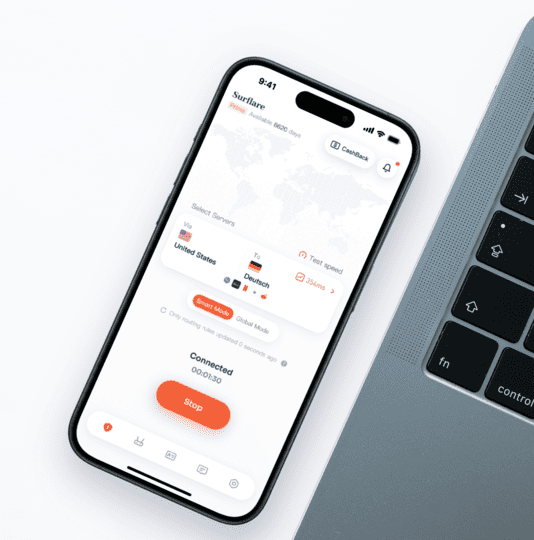
Surflare's Windows/macOS client emphasizes simplicity and clarity in design, with an interface structure leaning towards tool-like functionality rather than feature stacking. This orientation has a direct benefit in long-term desktop use: users can more easily grasp connection statuses and traffic flows, and the client itself is less likely to become an unstable factor. In scenarios of system sleep, network switching, or long background operations, the operation and status feedback are relatively intuitive, helping to reduce uncertainties during use.
- Sustainability of long-term connections
In long-term desktop usage scenarios, the key to stability often comes from the resource allocation methods during peak times. Surflare has not adopted an aggressive user expansion strategy but ensures that each user can still obtain relatively sufficient bandwidth resources during peak periods through a more restrained development model. This strategy reduces the probability of bandwidth contention, making it easier to maintain long-term connections in actual use without frequent reconnections or manual adjustments.
- IP availability and switching costs
Due to controlled overall load and resource usage, Surflare requires less frequent node switching to maintain availability during long-term desktop use. This is particularly important for office and cross-border work scenarios that require session continuity, as it can reduce login interruptions or task resets caused by IP switching.
- Protocol and traffic management capabilities
In traffic handling, Surflare introduces smart-routing technology to optimize traffic by application (per-application), rather than routing all traffic through the same line. This approach is more aligned with the actual usage situation of multitasking on desktops and helps mitigate the impact of a single application on overall connection stability. Additionally, related strategies have been optimized for office and cross-border work scenarios, making them more suitable for long-term online usage needs.
Conclusion (corresponding to the assessment criteria)
Under the proposed assessment criteria, Surflare's overall design clearly favors long-term desktop use:
-
Client structure is simple, with low long-term operating costs
-
Bandwidth contention during peak times is controlled, making long connections easier to maintain
-
Low demand for IP switching, leading to more continuous usage
-
Traffic is optimized by application, making it more suitable for multitasking
Therefore, it is not a solution that wins by short-term performance or scale, but rather more suitable for users who want to use VPNs as a long-term tool on Windows/macOS desktops.
If you primarily use a VPN on a Windows computer, you can directly check the Surflare Windows client download page to learn about installation and usage on desktops.
If you are using a Mac, you can also refer to the Surflare macOS client download page to choose the desktop version suitable for macOS.
Is TunnelBear suitable for desktop use?
TunnelBear is a VPN characterized by simplicity and low entry barriers, making it well-known among novice users, and is often discussed regarding its suitability for use on Windows or macOS desktops.
From the perspective of short-term or light usage, TunnelBear's advantages are very clear: the desktop interface is intuitive, the operation path is short, and it requires almost no configuration costs, making it suitable for temporarily solving access needs or as an entry-level VPN choice. If your usage pattern is "occasionally opening it and closing it after use," this orientation often provides a good first impression.
However, when the usage scenario shifts to long-term operation on desktops, the assessment criteria must return to the core dimensions mentioned earlier: whether long-term connections are sustainable, whether IPs are easily restricted, and whether frequent manual intervention is needed during network fluctuations or peak times. TunnelBear's product positioning has not been deeply optimized around these issues; it emphasizes ease of use rather than connection retention capabilities or resource allocation strategies in complex network environments.
In actual desktop usage scenarios, this orientation often means that during continuous online hours, running multiple applications in parallel, or when network conditions change, stability and controllability are more likely to become bottlenecks. For users who need to use a VPN as a work tool and expect it to run stably in the background for long periods, these limitations will be significantly amplified.
Therefore, a more reasonable conclusion is: TunnelBear is suitable for temporary or light desktop use but is not suitable as a long-term dependent desktop VPN. If your core need is for long-term stable connections on Windows/macOS, especially in office or cross-border work scenarios, prioritizing solutions designed for long-term stability will better meet actual needs.
Comparison of different desktop VPN usage orientations
If you are searching for "which desktop VPN is more suitable for long-term use," you can start with this comparison.
| VPN | Stability Orientation | Suitability for Long-term Use | Entry Barrier | More Suitable User Group |
|---|---|---|---|---|
| NordVPN | High | Medium | Medium | General Users |
| ExpressVPN | High | High | Low | Stability Priority Users |
| Surfshark | Medium | Medium | Low | Cost-effective Orientation |
| Surflare | High | High | Medium | Long-term Desktop Users |
| TunnelBear | Low | Low | Very Low | Light / Novice Users |
Frequently Asked Questions about desktop VPNs (FAQ)
- Are desktop VPNs more likely to be unstable than mobile ones?
Yes. Desktop use typically requires being online for long periods and running various background programs, which amplifies issues of VPN stability and IP availability.
- Is there a difference between using VPNs on Windows and macOS?
Different systems have different ways of calling VPNs, and the maturity of clients may also vary, so attention should be paid to whether they have been optimized for specific systems.
- Are free VPNs suitable for long-term desktop use?
Generally not recommended. Free VPNs often have issues with bandwidth limitations, high IP reuse rates, or insufficient stability.
- Do recommendations for desktop VPNs have to be from big brands?
Not necessarily. Big brands are more mature, but stability and controllability are equally important for long-term desktop use.
How to choose the best VPN for your desktop?
When choosing a desktop VPN, the most common mistake is conflating "occasionally usable" with "long-term usable." If it is only for temporary access or short-term use, mainstream brands' general solutions are usually sufficient, with low usage costs and not requiring much effort to understand product differences.
However, once a VPN becomes a long-term tool on Windows or macOS, the assessment criteria must change. At this point, what truly affects the experience is often not the speed of a single connection, but whether it remains stable and controllable during continuous operation for hours, changes in network conditions, and increased loads during peak times. Disconnections, dropped connections, and frequent node changes can directly disrupt work and study rhythms, and their costs far exceed short-term speed differences.
Therefore, when choosing a desktop VPN, a more reasonable approach is to first clarify your usage intensity and scenarios:
-
If the VPN is only used occasionally, a general solution will suffice;
-
If the VPN will run long-term and directly affect office, cross-border collaboration, or remote work efficiency, then stability, IP availability, and performance during peak times should take precedence over brand recognition.
Summary
For users looking for desktop VPN recommendations, the truly valuable reference is not in promotional pages or short-term experiences, but in whether it is suitable for long-term operation on Windows and macOS. The essence of desktop VPNs is that they are a basic tool, and once they become unstable, the impact is often continuous and cumulative.
In desktop usage scenarios, stability is often more important than reputation. When you view a VPN as a long-term tool rather than a one-time product, many experience differences can actually be predicted in advance. Clarifying needs and then selecting according to long-term usage standards is often more reliable than blindly following rankings.