1. What is a VPN?
VPN, short for Virtual Private Network, is a technology that establishes a private connection over a public network.
Sounds a bit abstract? Let’s explain with a metaphor:
Imagine you want to send an important letter from City A to City B. Normally, this letter would go through the public postal system, where it might be seen by many people along the way.
But if you had a dedicated underground tunnel, the letter could go directly from A to B, and no one could see the contents along the way—that’s what a VPN does.
In simple terms:
- A VPN creates an encrypted "private tunnel" for you over the public internet.
- Your data is transmitted through this tunnel, and outsiders cannot peek in.
- Your network exit point becomes the location of the VPN server, thus changing your IP address.
A VPN is a technology that establishes a private network connection over a public network, allowing users to transmit data securely while hiding their true online identity.
2. How does a VPN work?
A VPN protects your network security through three core technologies:
1. Tunneling
This is the most fundamental technology of a VPN.
It "packages" your data in another layer of data, like putting a letter in an opaque box and transporting it via public roads. Outsiders can only see the box, not the letter inside.
2. Encryption
Just "packaging" isn’t enough; what if the box is pried open?
So, a VPN also encrypts the data. Even if someone intercepts your data packet, all they see is a jumble of characters that cannot be restored to the original content.
Modern VPNs typically use military-grade encryption algorithms like AES-256.
3. Authentication
A VPN also needs to confirm "you are you."
Just like you need to swipe a key card to enter a company building, you need to verify your identity when connecting to a VPN to prevent strangers from sneaking into your private tunnel.
Common authentication methods include: username and password, digital certificates, dynamic verification codes, etc.
3. What types of VPNs are there?
Depending on the use case, VPNs are mainly divided into three categories:
1. Remote Access VPN
What it is: Allows you to securely connect to a company or organization's internal network from an external network.
Who uses it:
- Employees working from home who need access to the company intranet.
- Employees on business trips who need to connect to company emails and systems.
- IT personnel remotely maintaining servers.
How to use: Install the VPN client on your computer or phone, enter your account and password, and click connect.
2. Site-to-Site VPN
What it is: Connects networks from two or more different locations, allowing them to operate as if they were on the same local area network.
Who uses it:
- Multinational companies connecting offices in different countries.
- Connecting the networks of headquarters and branch offices.
- Interconnection between multiple data centers.
How to use: Typically configured by the IT department on routers or firewalls, and ordinary employees are not aware of it.
3. Consumer VPN
What it is: VPN services aimed at ordinary individual users, usually subscribed to on a monthly or yearly basis.
Who uses it:
- People who want to protect their privacy on public WiFi.
- People who want to hide their real IP address.
- People who want to access content with regional restrictions.
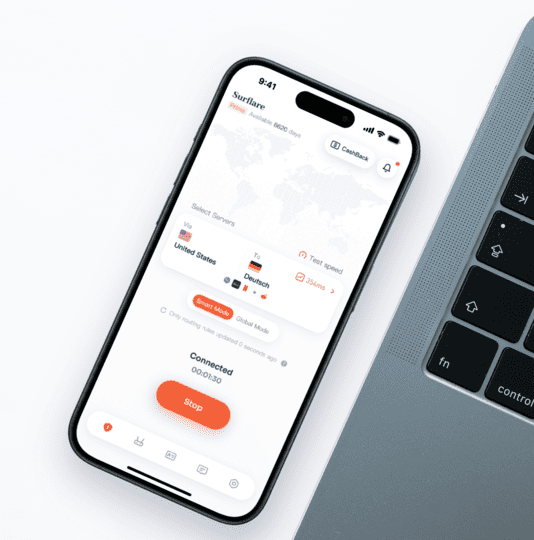
How to use: Download the app, register an account, choose a server, and connect with one click.
Important note: This type of product is what most people encounter as VPNs, but it is just one application of VPN technology and does not represent the entirety of VPNs.
4. What is a VPN protocol?
When you use a VPN, your device and the VPN server need to "speak the same language" to communicate.
This language is called VPN protocol.
You can understand it this way:
- A VPN protocol is a set of "communication rules."
- It specifies how data is encrypted, transmitted, and how identity is verified.
- Different protocols vary in speed, security, and compatibility.
For example: Different VPN protocols are like different courier companies. Some are fast but have simple packaging, while others have tight packaging but are slower to deliver.
Here are a few common VPN protocols:
1. IPsec
Full name: Internet Protocol Security
Characteristics:
- The most widely used protocol for enterprise applications.
- High security, relatively complex configuration.
- Works at the network layer, transparent to applications.
2. OpenVPN
Characteristics:
- Open-source software, with publicly available code.
- Audited by numerous security experts, highly trustworthy.
- Highly flexible, supports various configurations.
- Good cross-platform support (Windows, Mac, Linux, mobile).
3. WireGuard
Characteristics:
- A next-generation VPN protocol that has gradually gained popularity after 2020.
- Extremely streamlined code (only about 4000 lines, while OpenVPN has hundreds of thousands).
- Fast speeds and quick connection establishment.
- Particularly suitable for mobile devices.
4. L2TP/IPsec
Full name: Layer 2 Tunneling Protocol + IPsec
Characteristics:
- L2TP itself does not encrypt and needs to be used with IPsec.
- Most operating systems support it natively, no software installation required.
- Relatively high security, but slower speeds.
5. PPTP (outdated, not recommended)
Full name: Point-to-Point Tunneling Protocol
Characteristics:
- One of the earliest VPN protocols, released in 1999.
- Simple configuration, good compatibility.
- Has serious security vulnerabilities, not recommended for use.
6. SSL/TLS VPN
Characteristics:
- Based on HTTPS technology, the same encryption method used when accessing bank websites.
- Usually accessed directly through a browser, no client installation required.
- Suitable for temporary access to specific web applications.
5. What are the differences between enterprise VPNs and personal VPNs?
Many people cannot distinguish the differences between the VPNs used by enterprises and the VPN services they purchase for themselves. Here’s a simple comparison:
| Comparison Item | Enterprise VPN | Personal Consumer VPN |
|---|---|---|
| Main Purpose | Remote access to company intranet, interconnection of branches | Protect privacy, access restricted content |
| Who Manages It | Unified configuration by the company's IT department | User-managed |
| Deployment Method | Self-built or purchase professional equipment | Subscribe to cloud services, download and use apps |
| Cost Model | Hardware + software licenses + operational manpower | Monthly/yearly subscription, ranging from tens to hundreds of yuan |
| Typical Products | Cisco, Fortinet, Palo Alto | ExpressVPN, NordVPN, etc. |
6. What consumer VPN products are available on the market?
If you are an ordinary individual user looking to purchase VPN services, here are some well-known products:
- ExpressVPN
- NordVPN
- ProtonVPN
- Private Internet Access (PIA)
- Surfshark VPN
- ……
These products typically offer:
- Multi-platform clients (Windows, Mac, iOS, Android)
- Server nodes in multiple countries and regions worldwide
- One-click connection, easy to operate
Selection advice: Different products vary in price, speed, node coverage, privacy policies, etc. It is recommended to choose based on your actual needs.
7. The core function of a VPN: changing your IP address
Before addressing misunderstandings, let’s clarify one point:
For consumer VPNs, the most important and core function is changing your IP address.
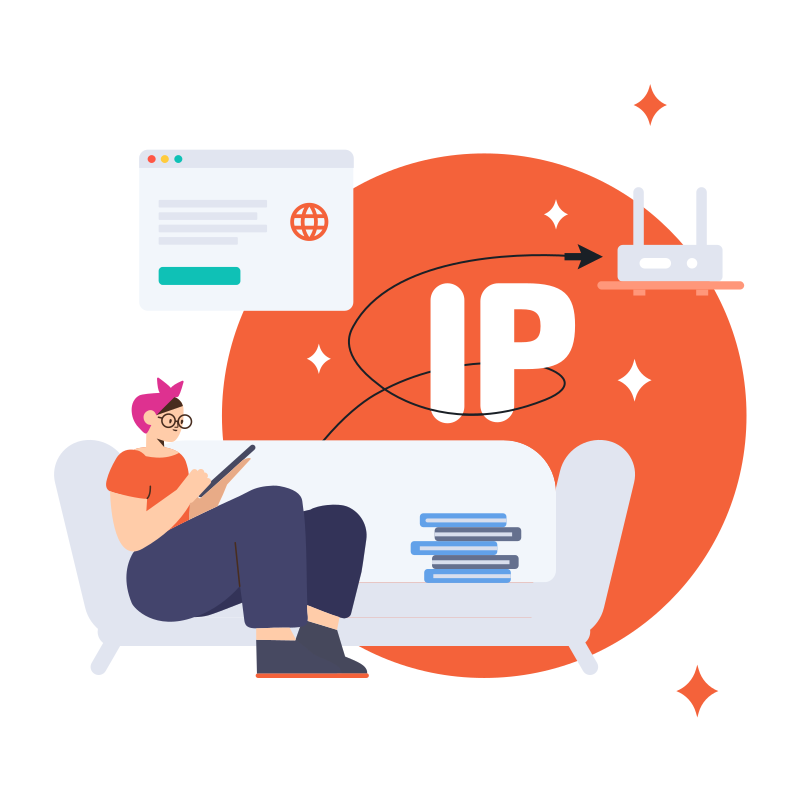
What is an IP address?
An IP address is like your "house number" on the internet. Whenever you visit a website, the other party can see your IP address, thus knowing:
- Which country and city you are likely in
- Which service provider you are using
- Some of your online behaviors can be linked together
How does a VPN change your IP?
When you connect to a VPN:
- Your network request is first sent to the VPN server.
- The VPN server uses its own IP address to access the target website on your behalf.
- The target website sees the IP of the VPN server, not your real IP.
For example: It’s like asking a friend to buy something at the store for you; the store only knows it was your friend who came to buy it, not the actual buyer is you.
What can changing your IP bring?
- Hide your real location — Websites cannot determine your geographical location through your IP.
- Access region-restricted content — Connect to servers in other countries to obtain that country's IP address.
- Avoid IP association tracking — Increases a certain level of privacy protection.
8. Common misconceptions about VPNs
After clarifying the core functions of VPNs, let’s address some common misconceptions:
Misconception 1: "VPNs can protect all my privacy."
Fact: VPNs only protect the security of data during transmission and change your IP address. However, if you actively fill in personal information on a website or log into an account, this information cannot be protected by the VPN.
Misconception 2: "VPNs will make my internet speed faster."
Fact: Quite the opposite. Because data needs to be encrypted, decrypted, and routed through the VPN server, using a VPN usually slows down internet speed a bit. This is the price of security and privacy.
Misconception 3: "VPNs are a universal security tool."
Fact: VPNs cannot prevent threats such as viruses, Trojans, phishing websites, and scam emails. They are just one type of network security tool and cannot replace antivirus software, firewalls, and other security measures.
Misconception 4: "There is no difference between free VPNs and paid VPNs."
Fact: Free VPNs need to profit through other means, which may involve collecting and selling your data, displaying ads, or limiting speed and traffic. As the saying goes: "If you are not the customer, you are the product."
9. How to choose a VPN that suits you?
Before choosing a VPN, first clarify your needs. Different usage scenarios have different requirements for VPNs.
1. Clarify your usage scenario
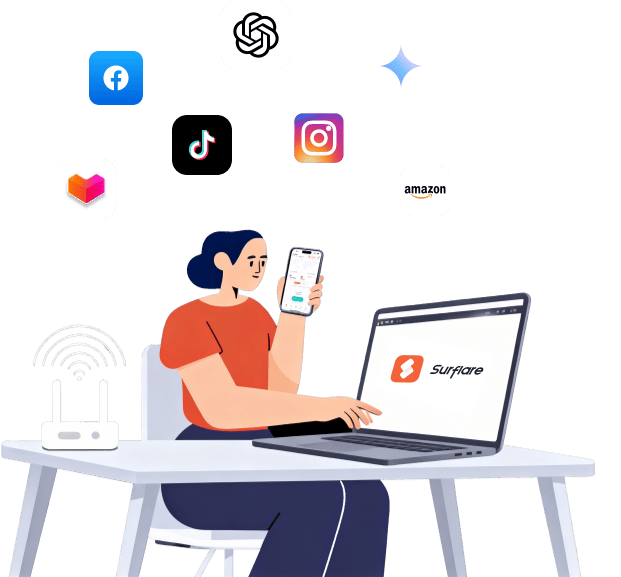
Scenario 1: Cross-border e-commerce operations
If you are operating overseas e-commerce platforms (like Amazon, eBay, Shopify) from within the country, you need:
- To obtain an IP address from the target market country.
- A stable connection to avoid account risk control due to frequent IP changes.
- Multiple independent IPs for managing multiple stores.
Scenario 2: Overseas live streaming / social media operations
If you need to live stream or post content on platforms like TikTok, YouTube, Instagram:
- To obtain an IP from the country where the target audience is located.
- Low latency and high bandwidth connection.
- High stability requirements, as interruptions during live streaming affect the viewing experience.
Scenario 3: Using overseas AI tools
If you need to use AI tools like ChatGPT, Claude, Midjourney:
- To obtain an IP address from the regions where these services are available.
- A stable connection to avoid frequent disconnections affecting workflow.
Scenario 4: Remote work
If the company requires you to connect to the intranet:
- Directly use the VPN provided by the company's IT department.
- No need to choose yourself.
Scenario 5: Daily privacy protection
If you just want to protect security on public WiFi or hide your IP during daily browsing:
- Lower requirements for speed and stability.
- Choose a cost-effective service.
2. Pay attention to protocol support
Prioritize services that support the following protocols:
- WireGuard — Fast speed, suitable for latency-sensitive scenarios (like live streaming).
- OpenVPN — Stable and mature, good compatibility.
Avoid using services that only support PPTP, as this protocol is outdated and insecure.
3. Pay attention to node coverage
Based on your needs, confirm that the VPN provider has sufficient nodes in the target areas:
- If targeting the U.S. market → Need U.S. nodes.
- If targeting the Southeast Asian market → Need nodes in Singapore, Malaysia, etc.
- If using AI tools → Need nodes in the regions where the services are available.
4. Understand the privacy policy
- In which country is the service provider registered? (Different countries have different legal requirements for data protection.)
- Is there a clear privacy policy?
- Has it undergone independent security audits?
5. Test performance in practice
Different VPNs can have significant differences in speed and stability in different regions and at different times.
Recommendations:
- Use trial periods or refund guarantees to test with a small amount first.
- Test during the actual times you use it (peak and off-peak times may vary greatly).
- Test the nodes in the target regions you use most frequently.
10. Conclusion
After reading this article, let’s review the key points:
- What is a VPN: A technology that establishes an encrypted private tunnel over a public network.
- How does a VPN work: Through tunneling, encryption, and authentication technologies.
- What types of VPNs are there: Remote access VPN, site-to-site VPN, consumer VPN.
- What is a VPN protocol: The "communication rules" between devices and servers, common ones include OpenVPN, WireGuard, IPsec, etc.
- The core function of consumer VPNs: Changing the IP address to hide the real location and access restricted content.
- Consumer VPNs are just the tip of the iceberg: They are just one of many applications of VPN technology.
We hope this article helps you develop a comprehensive understanding of VPNs.
References
- Wikipedia - Virtual Private Network
https://en.wikipedia.org/wiki/Virtual_private_network - RFC 2764 - A Framework for IP Based Virtual Private Networks
https://datatracker.ietf.org/doc/html/rfc2764 - RFC 4301 - Security Architecture for the Internet Protocol (IPsec)
https://datatracker.ietf.org/doc/html/rfc4301 - RFC 4026 - Provider Provisioned VPN Terminology
https://datatracker.ietf.org/doc/html/rfc4026 - RFC 3193 - Securing L2TP using IPsec
https://datatracker.ietf.org/doc/html/rfc3193 - RFC 2637 - Point-to-Point Tunneling Protocol (PPTP)
https://datatracker.ietf.org/doc/html/rfc2637 - WireGuard Technical Whitepaper
https://www.wireguard.com/papers/wireguard.pdf - OpenVPN Community Resources
https://openvpn.net/community-resources/